Benefits OnLine
- 3.5
- Rating
- 1.00M
- Installs
- Free
- Price

 Analysis by App-foxy
When retirement information is spread across workplace paperwork, an employer portal, and a separate investment account, even a simple question can become surprisingly time-consuming. Benefits OnLine is built for that particular situation: it is a finance app focused on retirement and benefit services from Merrill Lynch, Pierce, Fenner, and Smith Inc. I found it most useful as a mobile doorway into an employer-linked benefits experience rather than as a general-purpose budgeting or investing tool.
The app is free and available to users in the Everyone age group. It has passed one million installs, carries an average rating of 3.5 from around 3,400 ratings, and has about 1,100 written reviews. Those numbers suggest a service with a substantial audience but also a mixed day-to-day experience. That feels fair to me. The app can make benefit-related tasks easier, but its usefulness depends heavily on what plan or workplace relationship is connected to the account.
How I used Benefits OnLine from a retirement question to a practical result
When a retirement question comes up, I find it useful to separate what I need to understand from what I might eventually decide. I would begin by identifying the benefit involved and gathering the relevant workplace material, then use the app to orient myself before taking action. That practical starting point makes it easier to judge whether the next step is a closer review or a conversation with someone who can clarify the plan.
You May Also Like

 Blood Strike: 2.5 Anniversary
Blood Strike’s Loadouts Turn Every Drop Into a Tactical Gamble
A close look at Blood Strike’s custom loadouts: how fast access to signature weapons reshapes its battle royale rhythm, rewards preparation, and narrows the gap between fights.

 Pandora - Music & Podcasts
Pandora’s Music Is Easy to Start, but Harder to Recover
Pandora’s strength is its low-effort path from a seed to a station. Its weak spot is how much confidence it asks you to place in connection, setup, and quiet recovery.

 8 Ball Pool
 Is Built on Rivalries, Rematches, and Routine
A close look at the rivalries, rematches, shared routines, and unanswered safety questions that turn a quick pool match into a persistent mobile community.

 Samsung Music
’s Quiet Strength Is Playing What You Already Own
Its reach comes less from spectacle than from dependable access to a personal library. That simplicity is both the app’s strongest retention engine and its ceiling.

 AccuWeather: Weather Radar
AccuWeather Review: A Quick, Clear Forecast for Everyday Decisions
For everyday plans, the best forecast is the one you can understand quickly. AccuWeather makes rain timing, radar, and local conditions easy to act on, with a few trade-offs.

 Hill Climb Racing
Why Hill Climb Racing Still Turns Crashes Into One More Run
A tiny car, a bumpy hill and one more upgrade: Hill Climb Racing keeps resurfacing because its simple chaos makes every near-miss feel personal.
More From Our News Desk



Starting with a specific question
I would not open this app casually in the same way I might open a spending tracker. It makes more sense to begin with a clear purpose: checking retirement information, reviewing available benefit details, or finding the next action connected with an employer-sponsored plan. That mindset matters because the app’s store summary points directly to retirement and benefit services, not everyday banking.
For example, imagine receiving workplace information and wanting to understand what needs attention before an enrollment or contribution decision. The first step is to open Benefits OnLine and sign in through the account connected with the relevant benefits program. From there, I would look for the section that matches the question rather than browsing every area at random. A focused approach reduces the chance of confusing general account information with a specific workplace benefit.
The app’s current version is 26.08.02, and it requires at least iOS or Android 11. That is worth checking before downloading, especially if the app is intended for an older phone used mainly for occasional financial tasks. Because this is a personal finance service, I would also avoid beginning the process on an unfamiliar or shared device. The practical benefit of mobile access is reduced if the sign-in step becomes uncomfortable or unreliable.
Moving through the account instead of treating it like a calculator
Once inside, my approach would be to identify the account or benefit area first, then read the available information before making a decision. This is one of the app’s less obvious strengths: it can serve as a starting point for organizing a retirement-related task, even when the final decision still requires careful reading of plan material.
I would keep a short note beside me with three questions: what is the benefit or account being reviewed, what action is actually available, and what deadline or consequence is involved? Benefits OnLine is not a substitute for understanding the plan itself. A mobile screen can present the relevant path, but it cannot turn an unclear workplace policy into clear personal advice.
My most useful tip is to use the app as a verification step, not as the only source of truth. If a workplace email, enrollment document, or conversation with a plan representative gives different information, I would stop and reconcile the difference before changing anything. That habit is more valuable than rushing through a polished-looking mobile workflow.
Handling the handoff between the app and real life
Retirement administration rarely ends inside one screen. A typical handoff might begin with an employer communication, continue in Benefits OnLine, and finish with a conversation involving human resources or a benefits representative. The app is helpful when it gives me a place to review the account context before that conversation.
For instance, if I needed help understanding a contribution choice, I would first gather the account details visible in the app, note the exact wording that caused confusion, and then contact the appropriate workplace or plan support channel. This is more efficient than saying only that “the retirement app is unclear.” Specific details make the handoff easier for everyone involved.
That workflow also highlights an important limitation. Benefits OnLine is not the same as a complete financial planning relationship. Someone looking for broad investment education, household budgeting, bill tracking, or a consolidated view of accounts from several providers may prefer a dedicated personal finance app. Those alternatives are often designed around the whole household, while this app is centered on employer-linked benefits and retirement services.
What the result looks like when the process works
The best outcome is not simply opening an account page. It is leaving with a clearer next step: knowing which benefit needs attention, having the relevant information ready for a conversation, or confirming that no immediate action is required. In my view, that is where the app earns its place on a phone. It shortens the distance between “I should check my retirement benefits” and “I know what I need to review next.”
A realistic example would be a worker checking information during a lunch break after receiving a benefits reminder. The app can make that first review more convenient than waiting to reach a desktop browser. The user can identify the account involved, read the available details, and decide whether the next move is self-service or a question for the employer’s benefits contact. The result is modest but practical: less searching and a better-prepared follow-up.
I would still avoid making an important retirement change while distracted or hurried. A phone encourages quick decisions, while retirement choices may have long-term consequences. My preferred workflow is to use the app for discovery and confirmation, then take more time when the decision affects contributions, eligibility, or the way benefits are used.
Where the flow becomes frustrating
The main friction comes from the app’s narrow purpose and the dependence on the connected benefits arrangement. If a person does not have a relevant Merrill-linked workplace benefit, the app is unlikely to offer much value. It is not a universal retirement dashboard that I would recommend simply because someone wants to start planning for the future.
Another weakness is the possible gap between what a user expects from a modern finance app and what an employer benefits service can provide. People often expect quick summaries, broad account aggregation, personalized guidance, and smooth movement between every financial task. Benefits OnLine should be judged more narrowly. Its usefulness is strongest when the user already knows that a particular workplace benefit belongs in this service.
The average rating of 3.5 indicates that the experience is not universally smooth. I would interpret that carefully rather than treating it as an automatic warning. Financial apps can receive poor reactions when a sign-in issue, account-specific limitation, or employer configuration feels like an app problem. Still, the rating is a reminder to keep expectations realistic: mobile availability does not guarantee that every benefits task will be effortless.
If the app does not take me to the information I need, I would not repeatedly tap through unrelated sections. I would check whether I am using the correct account, confirm that the benefit is actually associated with the service, and then move to the relevant support channel. The smartest fallback is a prepared handoff, not endless trial and error.
Small habits that make the app more useful
First, I would open it with a defined question. “What do I need to review?” is better than aimless browsing. Second, I would record the date and context of any important review in my own notes, so I can explain what I saw if a later conversation raises a question. Third, I would compare the app’s information with official workplace material before treating a displayed figure or status as the final answer.
A fourth useful habit is separating information gathering from decision-making. On the first visit, I might only identify the relevant benefit and understand the available path. On a later visit, after reading the supporting material, I could return with a more informed question. This two-stage process reduces the temptation to make a rushed change simply because the app has made the account accessible.
Finally, I would keep the app’s role clear when comparing it with alternatives. A budgeting app may be better for monthly cash flow. A broad investment platform may be better for someone managing several personal accounts. A desktop benefits portal may be better for extended reading or document-heavy work. Benefits OnLine is most compelling when convenience and access to a specific employer-related benefit matter more than having every financial tool in one place.
Who should use it and who should skip it
I would recommend Benefits OnLine to someone whose retirement or workplace benefit relationship is already connected with Merrill Lynch, Pierce, Fenner, and Smith Inc., especially if that person wants a mobile way to check information before contacting an employer or plan representative. It can also suit users who prefer handling the first stage of a benefits task on a phone rather than waiting for access to a computer.
I would skip it as a primary finance app if my main goal were household budgeting, expense categorization, debt tracking, or a complete financial snapshot across unrelated providers. I would also be cautious about relying on it as a replacement for personal financial advice. The app’s purpose is specific, and that specialization is both its reason to exist and its biggest boundary.
The free price removes an obvious barrier to trying it, but it does not remove the need to check whether the service matches the user’s actual benefits arrangement. I would download it because I had a clear connection to the relevant retirement or benefit program, not merely because it has more than one million installs or appears in the finance category.
My final assessment after following the full workflow
Benefits OnLine works best as a practical bridge between a workplace benefit and the person trying to understand it. The journey begins with a specific question, moves through account information, often hands off to employer or plan support, and ends with a clearer decision about what to do next. That is a useful outcome, even if it is less ambitious than what people expect from all-in-one finance apps.
I like the app’s focused purpose and the convenience of having retirement and benefit information available on a compatible mobile device. I also appreciate that it can help a user prepare for a more productive conversation instead of starting from a vague concern. At the same time, the experience can feel limited when the account relationship is complicated, when the needed answer sits outside the app, or when someone expects broad financial planning tools.
My recommendation is therefore conditional but positive: use Benefits OnLine when it is the designated mobile route to your employer-linked retirement or benefit services, and approach it with a clear question and supporting documents nearby. For that audience, it can turn an awkward administrative task into a manageable first step. For everyone else, a general finance app or a broader planning service will probably be a better fit.
FAQs for Benefits OnLine
01What is Benefits OnLine and what can I use it for?
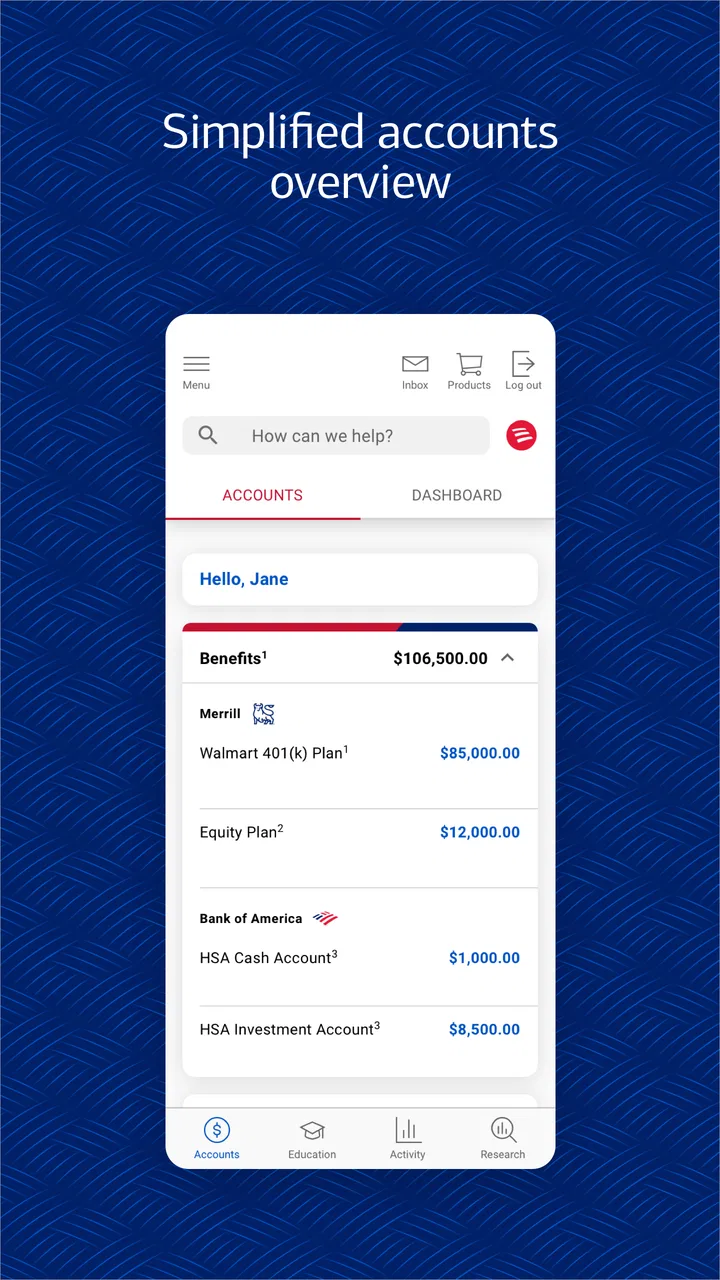
Benefits OnLine is a mobile platform designed to help eligible users access and manage information related to their employee benefits. Depending on the employer or plan provider, you may be able to review account details, check balances, view transactions, access statements, manage investments, and find educational resources. The exact tools available can vary according to your organization and the benefits connected to your account.
02How do I sign in to the Benefits OnLine app?
To sign in, you generally need the username and password associated with your Benefits OnLine account. Some users may also be asked to complete additional security verification, such as a one-time code or biometric authentication. If you have never registered, forgotten your credentials, or cannot access your account, use the official recovery and registration options rather than creating a separate account through an unofficial website or application.
03Is Benefits OnLine safe for viewing personal and financial information?
Benefits OnLine handles sensitive personal and financial information, so security is an important consideration. The app typically uses account authentication and security controls to protect access, while your device may support fingerprint or face recognition for faster login. You should still install the app only from an official store, keep your operating system updated, avoid public Wi-Fi when possible, and never share passwords or verification codes with anyone.
04Can I manage my retirement or investment account through Benefits OnLine?
In many cases, Benefits OnLine provides access to retirement savings or investment-related features, but the available options depend on the plan offered by your employer. You may be able to view balances, review contributions, examine investment performance, change allocation preferences, or access plan documents. The app is mainly a management and information tool, so certain transactions or changes may require additional confirmation or may only be available through the full website.
05What should I do if the Benefits OnLine app is not working or my information looks incorrect?
If the app crashes, fails to load, or displays outdated information, first check your internet connection and install any available update from the official app store. Signing out and signing in again can also refresh the session. If the issue continues, use the support or contact options provided inside the app or on the official Benefits OnLine website. For incorrect balances, transactions, or personal details, contact your plan administrator or official customer service promptly.
Pros
- Centralizes employee benefits
- balances
- and available services in one app.
- Provides convenient access to benefit information while traveling or away from work.
- Helps users locate participating providers and nearby benefit-related services.
- May reduce paperwork by supporting digital cards
- forms
- and account information.
- Useful notifications can remind users about updates
- deadlines
- or account activity.
Cons
- Available features can vary significantly depending on the employer’s benefits plan.
- Some users may find account setup and identity verification time-consuming.
- Certain services may redirect to external websites or separate provider apps.
- Incorrect employer data can make balances or eligibility details confusing.
- Requires secure login and personal information
- which may concern privacy-focused users.

Benefits OnLine
Gallery